Section 1: Lab Preparation
1.1 Retrieve Your Lab Credentials
Open the Lab Credential Portal.
Enter:
- The shared Lab access key provided by the instructor
- Your assigned Student ID, for example
student01
Select Show my credentials.
The portal displays only the credential record assigned to your Student ID. Keep the credential page open during the lab.
You will use the following values:
| Credential | Used for |
|---|---|
| AWS account ID | AWS Console sign-in |
| IAM username | AWS Console sign-in |
| AWS Console password | AWS Console sign-in |
| AWS access key ID | AWS CLI or API authentication |
| AWS secret access key | AWS CLI or API authentication |
| FortiFlex token | FortiGate-VM license activation |
| FortiGate serial number | Confirming that the correct FortiFlex entitlement is assigned and verifying the licensed appliance |
Important
Use only the credentials and license information assigned to your Student ID.
Do not share, photograph, copy to an unsecured location, or reuse these values outside this lab.
TIP
Use the Copy button beside a value when available to avoid typing errors.
1.2 Access the AWS Console
Open the AWS Management Console:
Access the AWS Management Console
Log in using the values displayed in the credential portal:
| AWS sign-in field | Credential portal value |
|---|---|
| Account ID | AWS account ID |
| IAM user name | IAM username |
| Password | AWS Console password |
INFO
Use only the student account assigned to you for this workshop.
After signing in, confirm that the selected AWS Region is Frankfurt (eu-central-1).
1.3 Create an SSH Key Pair
You need an SSH key pair to securely access the EC2 instances deployed in the spoke VPCs.
In the AWS Console search bar, enter Key pairs, and open EC2 > Key pairs.
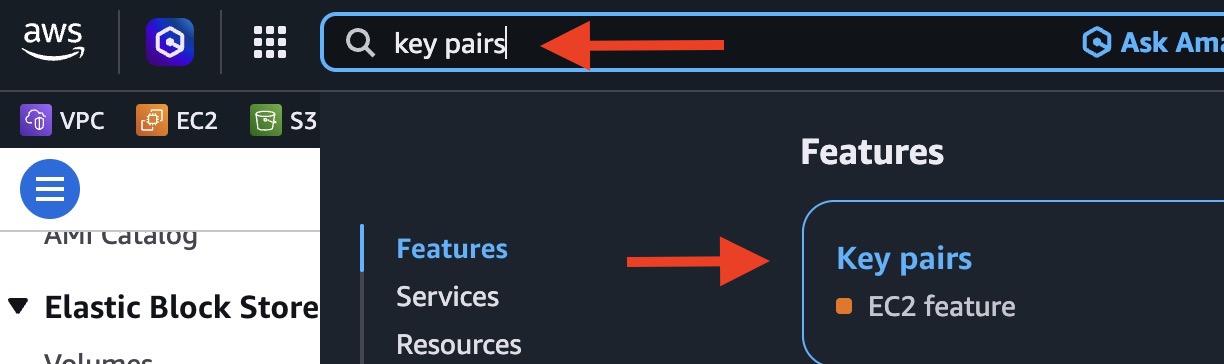
Select Create key pair.
Configure the key pair:
Setting Value Name Your Student ID followed by -key, for examplestudent01-keyKey pair type RSA Private key file format .pem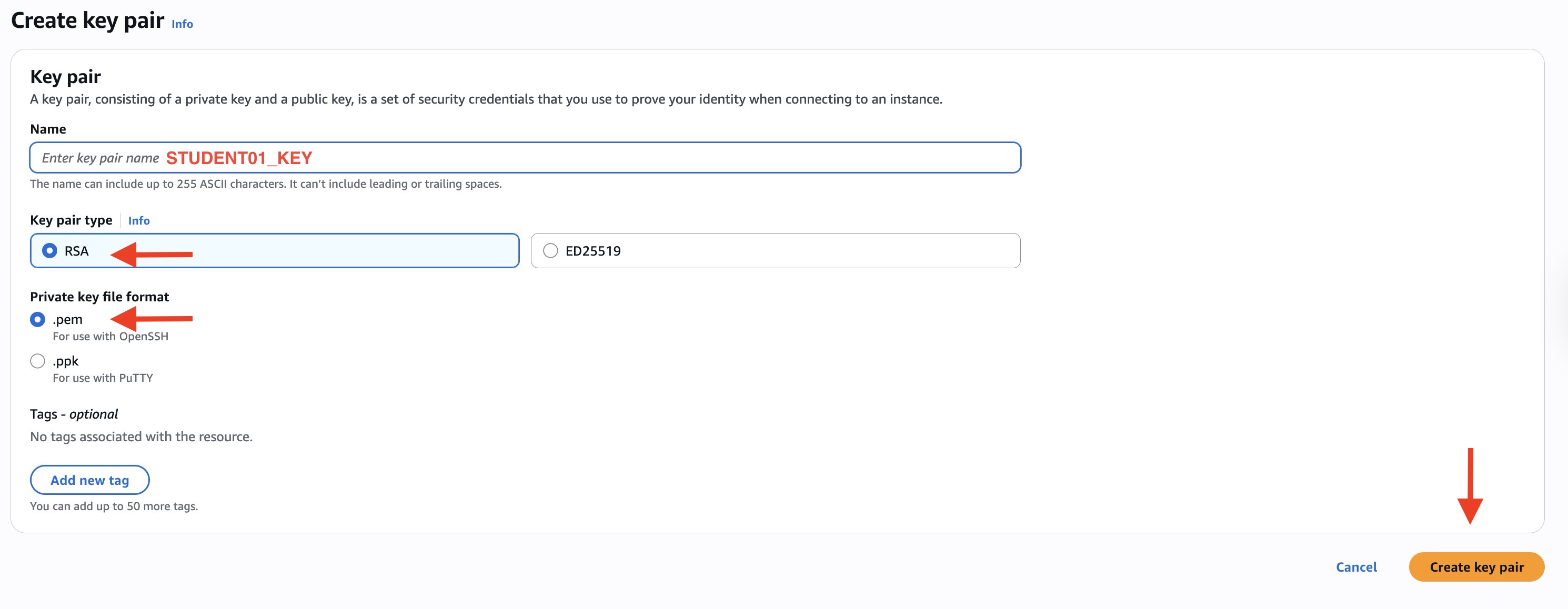
Select Create key pair.
The
.pemfile downloads automatically. Store it securely.
Important
AWS does not allow the private key file to be downloaded again after creation.
Windows
You can use Windows OpenSSH directly with the .pem file. PuTTY users may need to convert the .pem file to .ppk format.
On macOS or Linux, restrict access to the private key:
chmod 400 student01-key.pem